Wi-Fi login page won't load? Fix it in 5 seconds.
Don't miss another client call. Hotspot Guide finds the culprit, links the fix, and works 100% offline. The Wi-Fi tool you install before you need it.


Launch price: 20% off $9.99 $7.99 one-time
The moment it's built for
You're at the gate. Meeting in four minutes. Hotel Wi-Fi connected, but Safari is spinning and the login page never appeared. You can't Google what's wrong because you're not online yet.
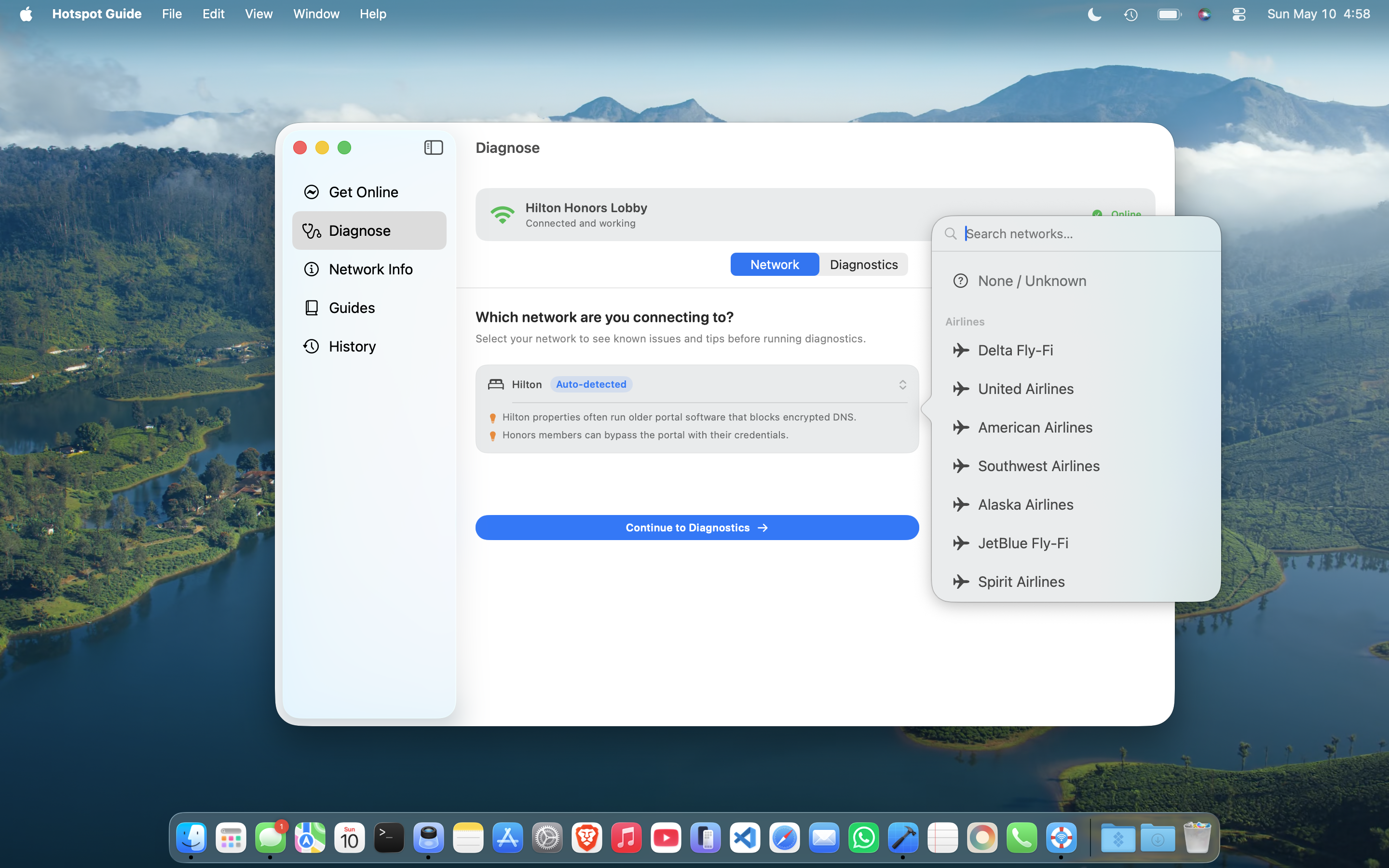
Open Hotspot Guide. In under five seconds: iCloud Private Relay is blocking the login page. Tap the link. Toggle it off. Reload. You're in.
All diagnostics and guides run offline, before you have internet. That's the entire point.
What it checks. What it fixes.
Nine probes run the moment you tap the button. Every flagged result links directly to the fix.
Nine checks, five seconds
iCloud Private Relay, VPN, custom DNS, MDM profiles, captive portal detection, proxy settings, real internet vs. portal HTML. Every check. Every time.
One tap to the fix
Every flagged result deep-links into the exact System Settings pane you need. Two taps, not ten minutes of searching.
Works with zero internet
All diagnostics and troubleshooting guides run completely offline. That's the entire point: you need this most when you can't get online.
Remembers your hotel login
After you authenticate, Hotspot Guide offers to save your name, email, and loyalty number for that network. Encrypted in the macOS Keychain. Autofills on return visits.
Sees the whole Wi-Fi picture
Nearby networks scanner shows channel congestion, signal strength, and security for every visible network. Speed, packet loss, and jitter tell you whether the Wi-Fi is slow or just flaky.
Nothing leaves your Mac
No telemetry, no analytics, no cloud. App Sandbox. No background processes. Diagnostic data stays on your device.
Who it's for
You've lost at least one hour to bad hotel Wi-Fi. You know which Marriott properties are the worst. This is for you.
Cafés, coworking spaces, airport lounges: you live on networks you don't control. Diagnose in seconds, not minutes.
A portable, App Sandbox-safe tool for diagnosing captive portal issues on field devices, without installing anything sketchy.
There's a faster way. Install Hotspot Guide before your next trip and you won't need to.
Built by a frequent traveler who got tired of doing the same dance every time a hotel portal misbehaved. I use it on every trip.
App Sandbox, no analytics endpoints, no cloud backend. The only connections it makes are the diagnostic probes you trigger, and you can watch every one in Little Snitch or Activity Monitor.
What people are saying
this is a massive pain point fr. private relay + vpn + dns profiles is a guaranteed recipe for getting completely locked out of hotel and airline portals. love that this focuses on the device side.
- Mac User
This is awesome! I have not encountered an app that solved these issues yet and I definitely relate to them. Awesome job!
- Mac User
I travel a lot, and I'd argue captive portals have gotten less predictable over the years, not more. Between Private Relay, DNS filtering, VPNs, and browser security changes, the "connect and a login page appears" workflow breaks surprisingly often.
- Mac User
Bought! Random hotspots not letting me do the portal I’m willing to give this a go! Thanks!
- Mac User
Frequently asked questions
Would you like to add improved guidance for your company hotspot?
If you're a venue operator and would like to help your guests get online faster, we can integrate custom network guidance directly into Hotspot Guide.
Connection Information Suite
Four menu bar apps that surface what your Mac's connections are actually doing: USB speeds, audio routing, display signal, and network throughput. From the same developer.
Install before you need it
Launch price: 20% off: $7.99, down from the regular $9.99. One-time purchase, all features, no subscription. Don't love it? Apple refunds you, no questions asked.